Stop Using Plastic AI Photos and Create Realistic Product Visuals
Qwen-Image-3.0 fixes the fake look of AI images. Small businesses can now create authentic visuals with realistic textures and accurate text, replacing expensive photoshoots with specific prompts.
Key Takeaways
- Qwen-Image-3.0 focuses on realistic textures and authentic details to avoid the glossy AI look.
- The model renders text with high precision for clear labels and marketing signs.
- Small businesses save money on studio rentals by generating lifestyle scenes at home.
- Stacked prompts help the AI understand physical materials and lighting for a professional finish.
- Saving successful prompts creates a low-cost visual style guide for your brand.
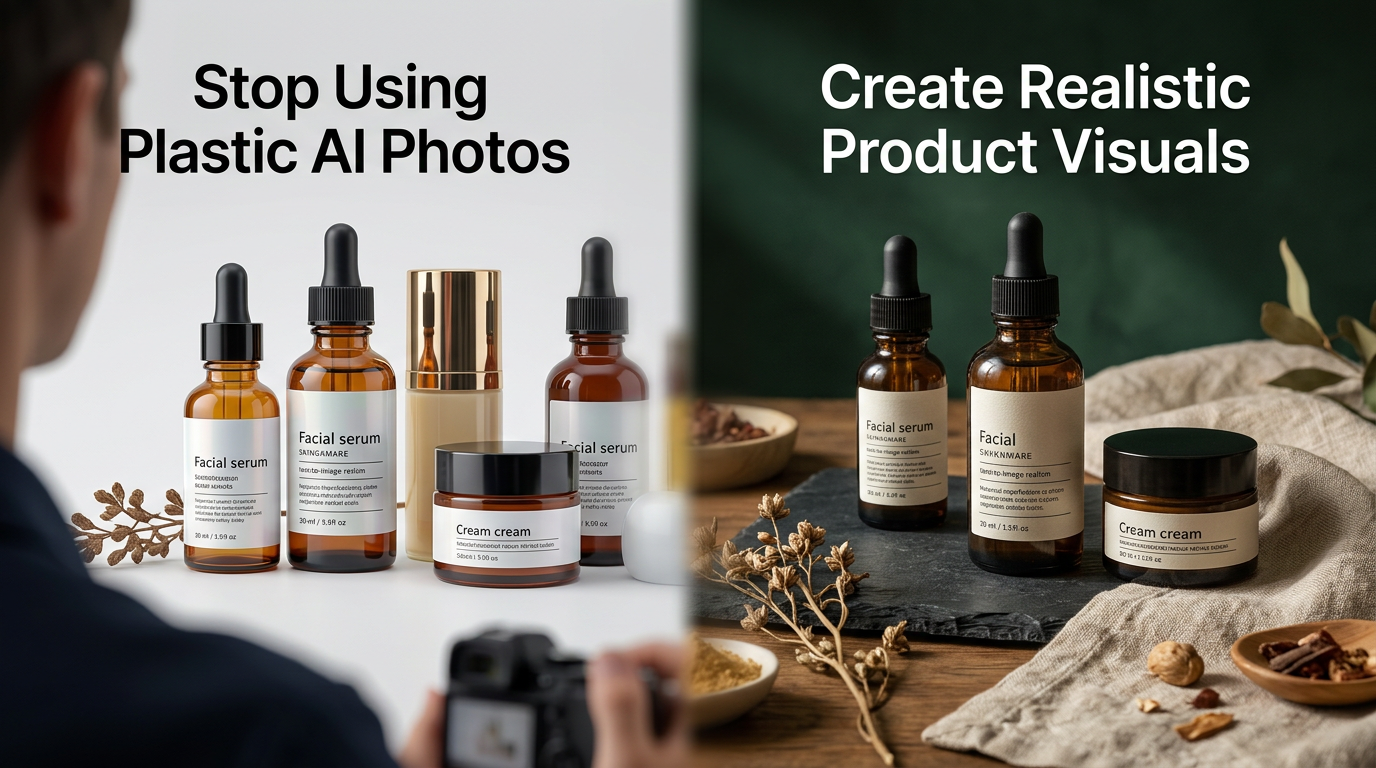
The End of the Plastic AI Look
Most small business owners avoid AI images because they look fake. The skin is too smooth, the lighting is weirdly perfect, and products look like video game assets. If you're selling real goods, that generic look kills trust. You need photos that show fabric texture or wood grain. The Qwen-Image-3.0 model fixes this for your marketing budget.
Alibaba Cloud released this model to focus on authentic details and rich content. It's built to stop making everything look like a glossy cartoon. For your shop, this means you can create visuals that actually look like the inventory on your shelves. You can stop paying for studio time and still get photos professional enough for a sales page.
Why Most AI Fails the Reality Test
Most generators struggle with the small stuff. They mess up label text, fail at complex textures, and ignore instructions. If you tell an old AI to put a mug on an oak table, you might get a neon desk. Qwen-Image-3.0 uses a massive dataset to understand how objects look in the real world. According to the technical release notes, it scores higher than most models for following detailed prompts and keeping textures realistic.
The Power of Text Rendering
Text is a major headache for business owners. If you want a sign that says "Sale" or "Open Late," most tools output gibberish. This model handles text inside images with high precision. You can bolt your brand name or slogans into a lifestyle shot without it looking blurry. This lets you wire up localized ads for different cities in minutes.
How to Wire Up Your Photography Workflow
You don't need to be a computer scientist. You just need to describe what you want like you're talking to a freelancer. Be specific about materials and lighting. Instead of "a photo of a chair," try "a close-up of a velvet armchair with visible stitching in a sunlit corner with hardwood floors."
Don't try to replace your entire catalog in one afternoon. Start by taking one product and generating a background that makes it pop. Use the AI to build the environment around your product. This keeps your brand authentic while you strip back the cost of renting a studio.
Practical Steps to Take This Week
You can start using this today to clean up your website. Here is how to move without overcomplicating the process.
1. Strip Back Generic Stock Photos
Find any image on your site that looks like a fake office or people shaking hands. Those hurt your brand. Make a list and decide what real scenario represents you better, like a specific tool on a workbench or your packaging on a front porch.
2. Stack Your Descriptions
When using the AI, stack your prompts. Start with the main object, add the material (leather, metal, cotton), then add the lighting (morning sun, soft lamp). Research shows Qwen-Image-3.0 is built to handle these layers of detail. The more you describe the physical world, the better the result.
3. Test Your Product Labels
If you sell physical goods, try generating a scene where the label text is clear. Place your product on a kitchen counter or in a gym bag. Check for weird shadows or extra fingers. This model is better at avoiding those mistakes, but keep a sharp eye on the output.
4. Create a Visual Style Guide
Once you find a prompt that works, save those words. Use that prompt as a template for all future photos. This ensures your Instagram and website have the same lighting and feel. It creates a cohesive look that usually costs thousands of dollars to maintain.
What to Watch Next
The next shift is uploading a photo of your exact product and having AI place it into any scene. We're seeing the start of this with tools that swap backgrounds while keeping the product untouched. For now, focus on prompts that create realistic textures. If you can make a digital image look like something a customer can touch, you've won. To see how we wire these tools into a business, join our next 3-day training where we walk through the setup together.
FAQ
Will these AI photos look fake to my customers?
Not if you use the right prompts. Qwen-Image-3.0 is designed to avoid the plastic look by focusing on real-world textures and natural lighting.
Do I need to know how to code to use this?
No. You interact with the AI using plain English prompts, just like describing a scene to a photographer.
Can I put my specific brand name on products in the images?
Yes. This model is built to render text accurately. You can include your brand name or slogans directly in the prompt.