How to Use Real-Time AI to Sell More Products During Live Streams
Whatnot recently acquired Shaped to bring real-time AI recommendations to live shopping. Small sellers can copy this strategy by using dynamic product tagging and AI-driven discovery apps to show customers exactly what they want in the moment, increasing conversion rates and average order value.
Key Takeaways
- Real-time AI tracks current behavior rather than just old purchase history.
- Whatnot's acquisition of Shaped highlights the move toward instant discovery in e-commerce.
- Small businesses can use AI-driven apps to rank products for visitors automatically.
- Clean product tagging is the foundation for any successful AI recommendation system.
- Live sellers should use immediate viewer feedback to pivot their product presentations in real-time.
The Shift Toward Real-Time Personalization
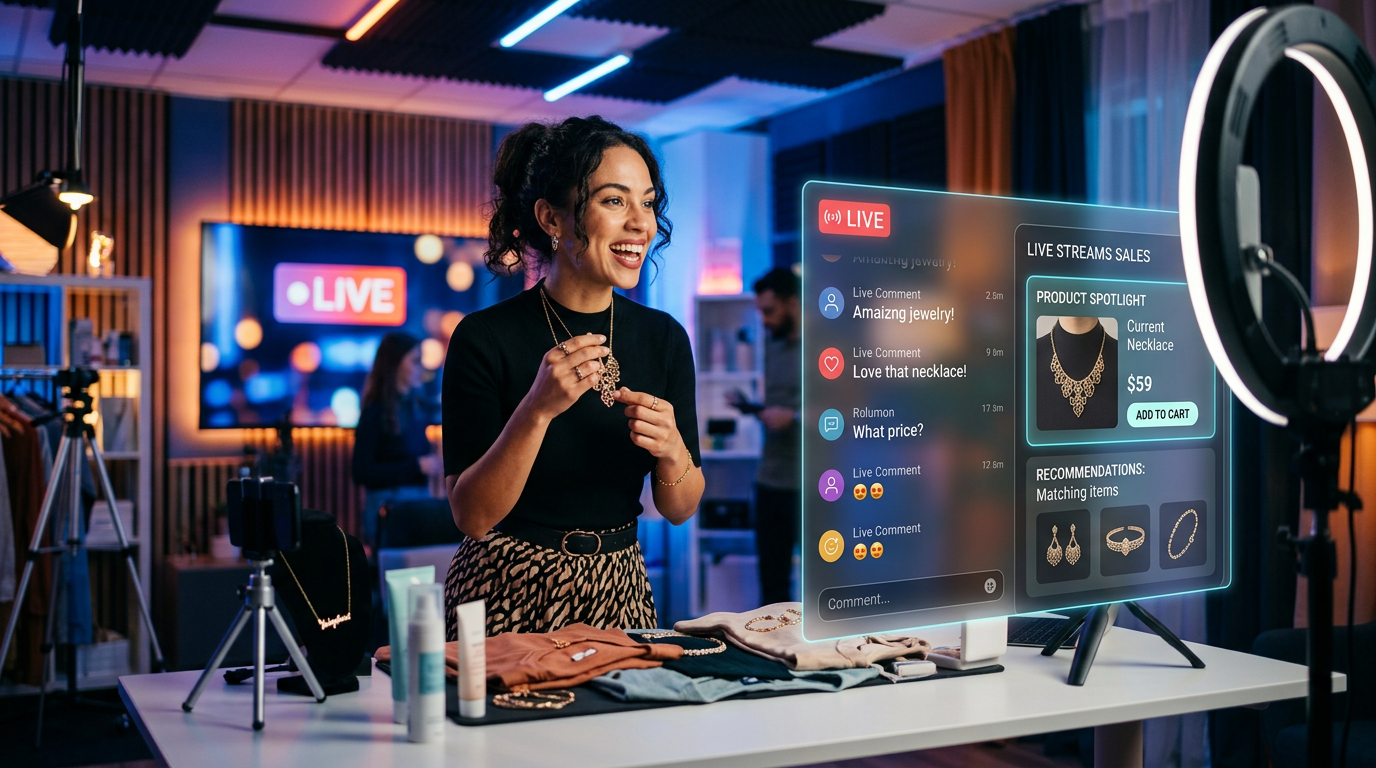
The live shopping app Whatnot just bought a company called Shaped to fix a problem most e-commerce sellers face every day. According to TechCrunch, they're integrating AI that understands what a buyer wants in the exact second they're watching a stream. This isn't about looking at what someone bought last month. It's about looking at what they're clicking on right now and showing them the perfect item before they scroll away.
For a small business owner, this might sound like big-company tech that's out of reach. It isn't. The technology behind this acquisition focuses on ranking content based on immediate user behavior. You can use these same principles to stop guessing what your customers want and start letting the data drive your sales during live events or on your storefront.
What Real-Time AI Actually Does for Your Sales
Most recommendation engines are slow. They look at historical data, which is like trying to drive a car by only looking in the rearview mirror. Real-time AI personalized shopping recommendations work differently. They use what's called a ranking model (a system that scores every product in your inventory against a customer's current mood and actions) to decide what to show next.
If you're running a live sale on a platform like Whatnot or your own Shopify site, you have a limited window of attention. Whatnot's move to acquire Shaped shows that the industry is moving toward instant discovery. When a viewer enters a stream, the AI calculates what they're most likely to buy based on the last 30 seconds of their activity. This moves them straight to the checkout button.
How to Wire Up Your Own Recommendation System
You don't need to buy an AI startup to get these results. You can bolt these capabilities onto your existing store today. The goal is to move away from static sections and move toward dynamic feeds that change as the customer explores your shop.
First, you need to audit your data. Most store owners have plenty of data, but it's sitting in a messy pile. To make AI work, you need to track events. An event is just an action: a click, a hover, or a view. When you connect a modern recommendation tool to your store, it watches these events to learn the patterns of your best buyers.
Second, you should focus on the cold start problem. This is what happens when a new visitor lands on your site and the AI knows nothing about them. The tech Whatnot is using handles this by looking at similar user clusters. You can do this by using apps that categorize your products with detailed tags. The more specific your tags are, like vintage blue denim instead of just pants, the faster the AI can find a match for a new visitor.
Third, bring this into your live shows. If you're selling on social media or a dedicated app, don't just show random items. Use your store's analytics to see what's trending in the last hour. Mention those items specifically. You're acting as the human version of the ranking model until you have the software doing it for you.
I see too many sellers get paralyzed by the technical side of AI. Think of it as a digital shop assistant. If a customer walks into a physical boutique and looks at red dresses, a good assistant doesn't show them blue hammers. They bring out more red dresses in different sizes. Real-time AI just does this at scale for thousands of people at once. Start with one small area of your site, like the cart page, and test a dynamic recommendation block there first.
Practical Actions for This Week
You can start moving toward this model without writing a single line of code. Here's how I'd spend my time this week to boost conversion rates using these concepts.
1. Clean your product tags. Strip back generic titles and add specific attributes like material, color, and use-case. AI personalized shopping recommendations are only as good as the labels you give the machine.
2. Install a real-time analytics tool. If you only look at your sales once the day is over, you're missing the story. Use a tool that shows you live traffic so you can see where people are getting stuck or dropping off during your peak hours.
3. Test a discovery app. If you use Shopify or BigCommerce, look for search and discovery apps that offer AI-driven ranking. Turn off the manual recommendations and let the algorithm try to pair products for 48 hours. Watch your average order value to see if it moves.
4. Sequence your live sales. Instead of a random order, stack your products from high-interest to high-margin. Use the first 10 minutes of your stream to see what people are asking about, then pivot your planned items to match that interest. This is manual real-time personalization.
What to Watch Next
Keep an eye on how big platforms handle video. As Whatnot integrates this tech, expect other platforms like TikTok and Instagram to follow suit. The window between a customer thinking about a product and seeing a buy button is shrinking to nearly zero. If you want to keep up, you need to make sure your product data is organized and ready for these machines to read it. If you want to see exactly how to set these systems up for your own brand, my [3-day training](https://go.aiforbusiness.com/summit?_go=brian60) covers the exact steps to wire up your first AI sales assistant.
FAQ
What is real-time AI personalization?
It's a system that looks at a user's current actions on a site, like clicks and views, to immediately suggest products they're likely to buy right now.
Do I need to be a developer to use this?
No. Most e-commerce platforms have apps you can bolt on that handle the complex math for you. You just need to provide clean product data.
How does this help live shopping?
It helps by showing viewers the most relevant products in their feed while they watch a stream, making it more likely they'll make a purchase before leaving.