How to Stop Your Business Data From Leaking Into Other AI Chats
Some AI providers use shared memory (KV caching) to save costs, which can lead to data leaking between different users' sessions. You can prevent this by asking vendors about their session isolation and using private API connections.
Key Takeaways
- KV caching is a speed-boosting shortcut that can accidentally mix data between different users if not properly isolated.
- Cloudflare's recent patch of the GLM-5.3 model highlights that even major providers can face cross-request exposure risks.
- Non-technical owners should audit third-party AI tools to ensure they aren't pooling data in shared caches.
- Using your own API keys or enterprise-level accounts reduces the risk of middleman data leaks.
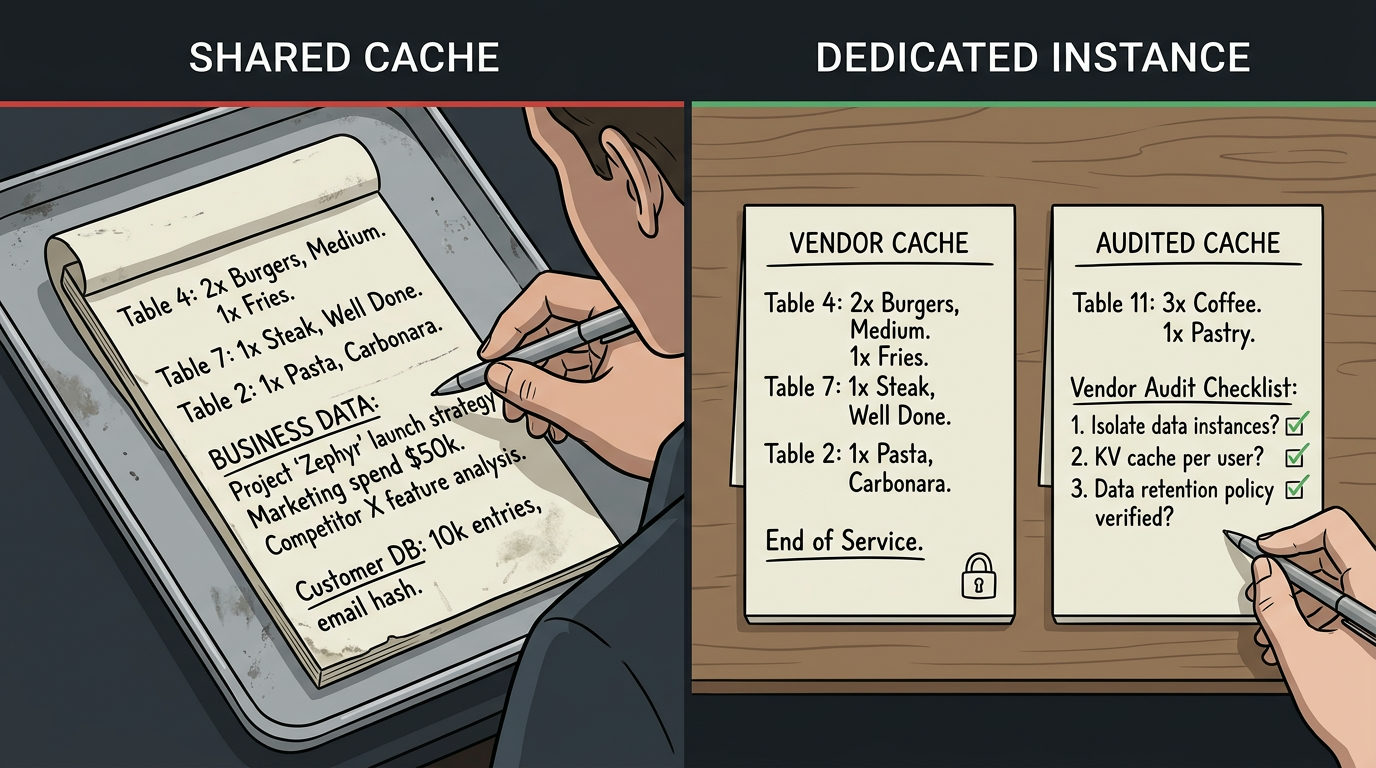
When you type a customer list or a trade secret into an AI tool, you expect it to stay in your session. A technical shortcut used by some hosting providers, called shared KV caching, can cross the wires. If a provider isn't careful, what you typed could show up as a suggestion or response for a stranger at another company.
Cloudflare recently patched a vulnerability in their Workers AI system where data from one user could be exposed to another. This happened because of how the system handled these caches (Source). This is a risk for any business using third-party AI tools that haven't properly isolated their memory. You don't need to be a coder to protect your business, but you do need to know what to ask your vendors.
What is KV Caching?
Think of a Key-Value (KV) cache like a waiter's notepad. To save time and money, AI models store parts of a conversation so they don't have to re-read everything from scratch every time you hit enter. It makes the AI faster and cheaper to run. The problem happens when the waiter uses the same notepad for two different tables without tearing off the page. If the system doesn't strictly separate these notes, Table B might see what Table A ordered.
The Risks of Shared Hosting
Many small AI startups are just wrappers around bigger models like GPT-4 or Claude. To keep costs low, they might use shared infrastructure that pools resources. If they use a shared cache to speed up responses, they're responsible for making sure your data is sandboxed (locked in a private container). If that lock fails, your private prompts become part of the pool.
3 Questions for Your AI Vendors
Send these questions to any provider handling sensitive data. If they can't answer them, they probably aren't thinking about cross-request exposure.
- Do you use shared KV caching across different customer accounts? If they say yes, ask how they verify that one user's cache key can never be accessed by another.
- Are my sessions isolated at the infrastructure level? You want to hear that they use multi-tenancy isolation. This means every customer gets their own private digital bucket.
- Have you patched for recent cross-request cache vulnerabilities? Mentioning the Cloudflare GLM-5.3 remediation shows them you're paying attention to specific industry flaws.
How to Verify Your Setup
The safest way to avoid this is to use enterprise-grade providers or host the models yourself. If you use a tool that lets you bring your own API key, you're usually safer. The data flows directly from you to the model provider (like OpenAI or Anthropic) rather than sitting in a middleman's shared cache. If you're ready to move away from risky third-party tools, the first step is learning to bolt on your own private connections.
FAQ
What is KV caching in plain English?
It is a temporary storage system that lets an AI remember the beginning of your conversation so it doesn't have to process the whole thing again every time you reply. It saves the provider money and makes the AI faster.
How do I know if my AI provider is at risk?
Ask them if they use shared KV caching across customer accounts. If they use the GLM-5.3 model on Cloudflare Workers AI, ensure they have applied the remediation from the February 2025 security report.