How to Run Your Business AI Offline When the Big Platforms Fail
Install a local model runner like LM Studio and download a model like Llama 3 to act as a functional backup when cloud-based AI services go offline.
Key Takeaways
- Cloud AI outages are operational risks you can mitigate with local hardware.
- Local models like Llama 3 run without an internet connection on standard business laptops.
- A local strategy ensures uptime for critical text-based workflows during provider errors.
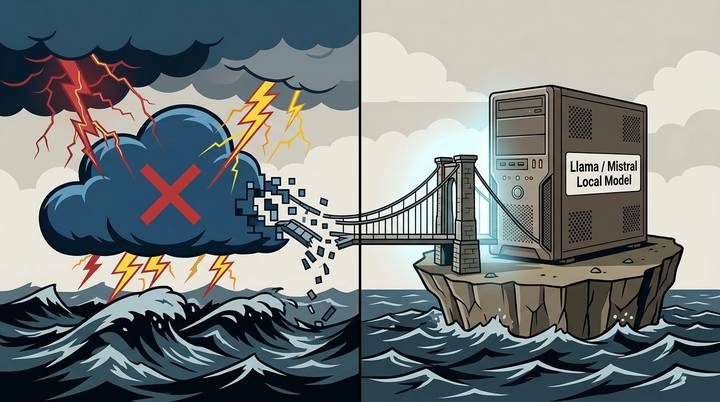
When services like Claude go down, most business owners just wait for a status page to turn green. On November 13, 2026, Anthropic reported errors across their entire platform, including the web interface and developer tools. If your customer support or content drafting relies on one provider, an outage is a power failure.
You can prevent this by setting up a local fallback. This means running an AI model directly on your own computer hardware instead of a company's server. It keeps your work moving even when the major platforms are dark.
The 3-Step Local Backup Strategy
Running a backup model doesn't require a computer science degree. You just need to have the right software installed before the next incident happens. Here is how to wire up a secondary system today.
1. Install a Local Model Runner
Download a tool like LM Studio or Ollama. These are free applications that act as a home base for AI models. They let you download and run the brains of the AI (the models) without an internet connection once the initial download is finished.
2. Choose a Reliable Model
Llama 3 or Mistral are reliable choices that can handle email drafting, summarization, and basic data sorting. These models act as the engine for your local setup.
3. Mirror Your Primary Prompts
Open a text file and paste the instructions you usually give to Claude. When the main service fails, you can copy these into your local runner. The output might be slightly less polished than the paid versions, but it lets you finish your work on time.
How to Check Your Backup
To make sure you're ready, turn off your Wi-Fi and try to generate a response in your local runner. If the AI answers your prompt without an internet connection, you've successfully removed the single point of failure from your business.
If you want to see how to connect these local models to your existing spreadsheets and tools, join our next training event where we walk through the setup live.
FAQ
Will a local model be as smart as Claude?
Probably not. Smaller local models are capable but usually lack the deep reasoning of top-tier paid services. They are meant to keep you operational, not to replace the primary tool entirely.
Do I need a special computer to run AI locally?
Most modern business laptops can run these models. If your computer was made in the last 3 years, it likely has enough memory to handle basic tasks in LM Studio or Ollama.