How to Bolt Together a High-End Brand Video for $100
High-end video production is no longer gated by big budgets. By stacking LLMs for scripting, video generators for footage, and AI audio tools, small business owners can create professional brand videos for around $100. Claude Fable 5 currently leads in creative direction and visual fidelity.
Key Takeaways
- AI video production reduces costs from thousands of dollars to roughly $100 per project.
- Claude Fable 5 is currently superior to GPT models for artistic and nuanced visual instructions.
- The workflow involves 3 stages: scripting with an LLM, generating clips, and adding AI-generated music.
- Iteration is key; expect to generate multiple versions of a clip to find the perfect shot.
- High-quality video assets give small businesses a massive competitive advantage in local markets.
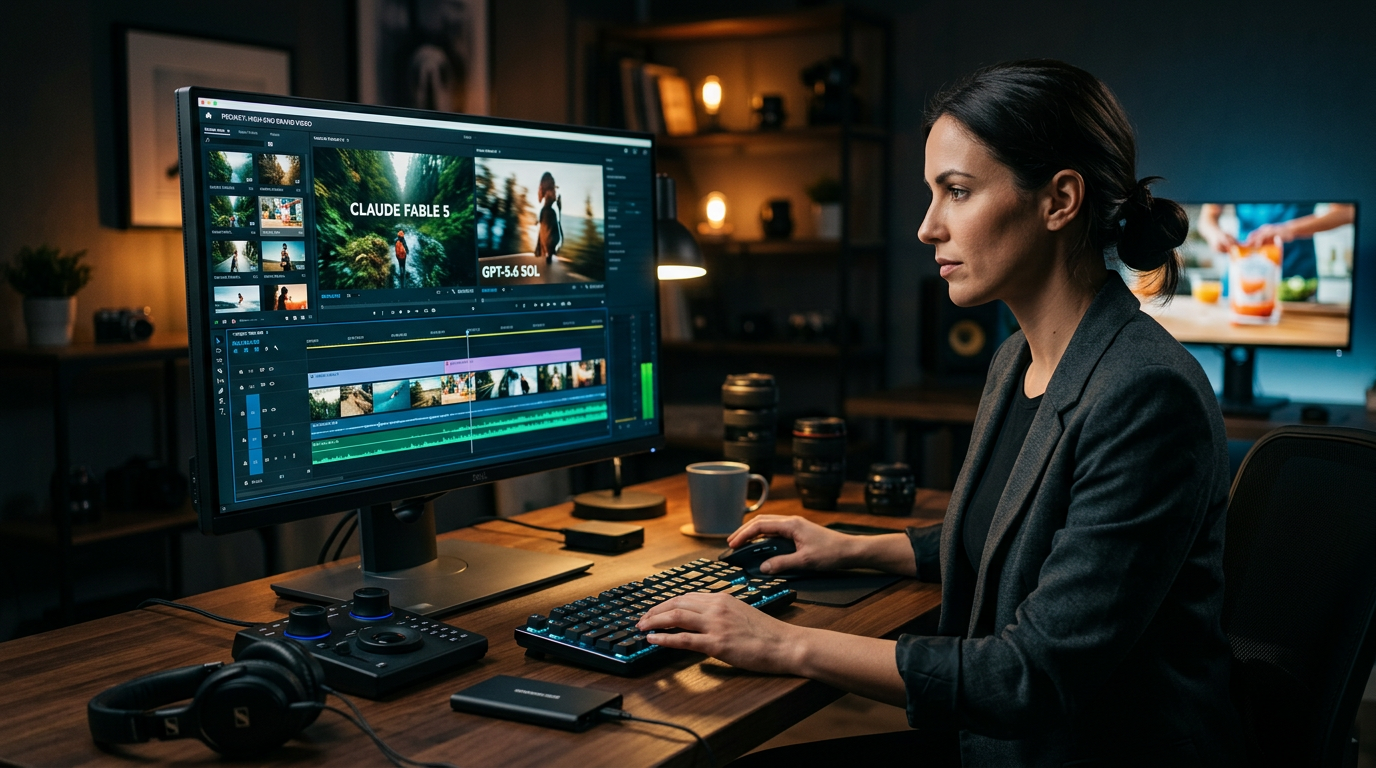
The Era of the Local Hollywood Studio
You used to need a $10,000 budget and a week of filming to get a professional video for your business. Most small business owners skip video because the cost of cameras, lighting, and editors feels like a mountain. That changed recently. You can now wire up a full music video or high-end brand commercial for about $100 using tools like Claude Fable 5 and GPT-5.6 Sol.
The tech has moved past making grainy clips of cats. Creators are building entire AI-driven music videos that look like they came from a professional production house. For a business owner, this means you can take a raw idea and turn it into a social media ad that stops the scroll without hiring a crew. You aren't just typing a prompt and hoping for the best. You're acting as the director, using AI to do the heavy lifting of the drawing and animating.
The Architecture of a $100 Video
To build a video this way, you have to stack different tools. You start with a Large Language Model (LLM). This is just a fancy word for an AI like ChatGPT or Claude that understands and generates text. You use this to write your script and your visual descriptions. Then you move that text into a video generation tool to create the actual footage. Finally, you use an audio tool to generate the music or the voiceover.
In recent testing, Claude Fable 5 showed a massive edge in following complex creative instructions compared to other models. It understands the vibe of a scene better than most. GPT-5.6 Sol remains a heavy hitter for logic and structure, but for making something that looks artistic, Claude is currently winning. This matters because if the AI understands your brand voice, you spend less time hitting the regenerate button and less money on credits.
Step 1: Strip Back the Script
Don't try to tell a 10-minute story. Start with a 30-second hook. I recommend using an LLM to outline 3 specific scenes. Ask the AI to describe these scenes in physical terms like colors, lighting, and movement. If you're selling a physical product, tell the AI to focus on the texture of the material or the way the light hits the logo. This creates a blueprint you can actually use.
Step 2: Generate Your Visual Assets
Take those descriptions and put them into a video model. You'll likely pay for a monthly subscription, which is usually around $30 to $50. This is where your $100 budget goes. You'll generate 5 or 6 clips for every 1 clip you actually use. That's normal. Think of it like a photographer taking 500 photos to find the 10 perfect shots for a wedding album.
Step 3: Wire Up the Audio
A video without good sound is just a silent movie that nobody wants to watch. Use an AI music generator to create a track that matches the tempo of your clips. You can tell these tools to create a 30-second upbeat corporate acoustic track or a dark cinematic synth beat. It takes about 60 seconds to get a custom song that you own the rights to. No more hunting through stock music libraries for hours.
From the Trenches: The Reality of AI Video Production for Small Business
Working with these tools isn't about magic buttons. It's about iteration. You'll find that the first clip the AI gives you might have a person with 6 fingers or a car that turns into a cloud. Don't panic. You just sand down the prompt, change a few words, and try again. The goal isn't perfection on the first try; it's getting a professional result for 1% of the traditional cost.
The ROI for Solo Founders
The math here is simple. If you spend $100 and 4 hours of your time to create a high-quality ad, and that ad brings in 2 new customers, you've already won. Traditional video production is a high-risk gamble because of the entry price. AI video production for small business is a low-risk experiment. You can fail 5 times, spend only $500, and still be thousands of dollars ahead of where you'd be with a film crew.
I think we're going to see a lot of local businesses like realtors, roofers, and gym owners start using these high-end visuals. It makes a small operation look like a national brand. When your competitors are still posting blurry cell phone photos and you're posting cinematic video, you win the attention battle immediately.
Actions to Take This Week
- Sign up for a free account on Claude or ChatGPT and ask it to write a 30-second script for your most popular service.
- Pick one video generation tool like Luma or Runway and spend $30 on a one-month starter plan.
- Generate 10 clips based on your script just to see how the software reacts to your instructions.
- Use a tool like Suno or Udio to create a background music track for your brand.
- Bolt these pieces together using a simple video editor on your phone or computer and post it to your business page.
What to Watch Next
Keep an eye on how these models handle text inside the video. Right now, AI is still a bit shaky with spelling words correctly in a moving scene. As that improves, you'll be able to create full explainer videos with titles and captions built directly into the footage. For now, stick to beautiful imagery and add your text overlays in a basic editor. The tools are getting faster every month, so the best thing you can do is get your hands dirty now while your competitors are still waiting for a perfect time to start.
FAQ
Do I need a special computer to make AI videos?
No. All the heavy lifting happens on the AI company's servers. You just need a standard web browser and an internet connection.
Is the music and video royalty-free?
Most paid subscriptions for these tools include a commercial license, meaning you own the rights to use the content for your business ads.
How long does it take to make a 30-second ad?
Once you understand the tools, you can typically go from a blank page to a finished video in 2 to 4 hours.