How Google’s New AI Wearables Will Run Your Back Office Hands-Free
Google is integrating its Gemini AI into new Samsung foldables and upcoming smart glasses. This allows business owners to handle back-office tasks like price comparisons and scheduling via voice and visual overlays, removing the need to be tethered to a desktop computer.
Key Takeaways
- AI wearables like smart glasses will allow for hands-free inventory and client management.
- Google’s Circle to Search on foldables lets you instantly analyze physical documents and invoices.
- Real-time translation features are being built directly into mobile hardware for better client communication.
- The move to XR (Extended Reality) will allow digital data to be overlaid on physical workspaces.
- Preparing for this shift requires digitizing paper records and mastering voice-command workflows now.
The Desk Is Becoming Optional
Google just expanded its partnership with Samsung to wire up a new generation of devices that move your business operations off the screen and into the real world. During the Galaxy 2026 event, they showcased how AI is being baked directly into foldables and upcoming smart glasses. This shift allows a contractor or a shop owner to manage their entire back office while their hands are busy doing the work.
Most small business owners feel chained to a laptop to handle tasks like billing, scheduling, and inventory. These new tools are designed to strip back that friction. When your glasses can see what you see and your phone can unfold into a tablet sized workstation, the way you interact with your data changes. You stop typing and start talking to your systems.
The End of the Paper Trail
The most practical update involves Google’s Gemini, which is a smart assistant that can reason and solve problems. On the new Galaxy Z Fold7, you can use a feature called Circle to Search to pull data from physical documents. Imagine you're looking at a complex invoice from a supplier. You can circle a line item with your finger and ask the AI to compare that price to your last 3 orders. You don't have to go back to the office to open a spreadsheet. You get the answer in seconds while you're still standing on the loading dock.
This is a major shift for anyone who works in the field. Google is also pushing live translation and transcription features into these devices. If you're on a job site with a client who speaks a different language, your glasses or foldable phone can translate the conversation in real time. This removes the barrier of miscommunication that leads to expensive mistakes and missed deadlines.
Your Back Office on Your Face
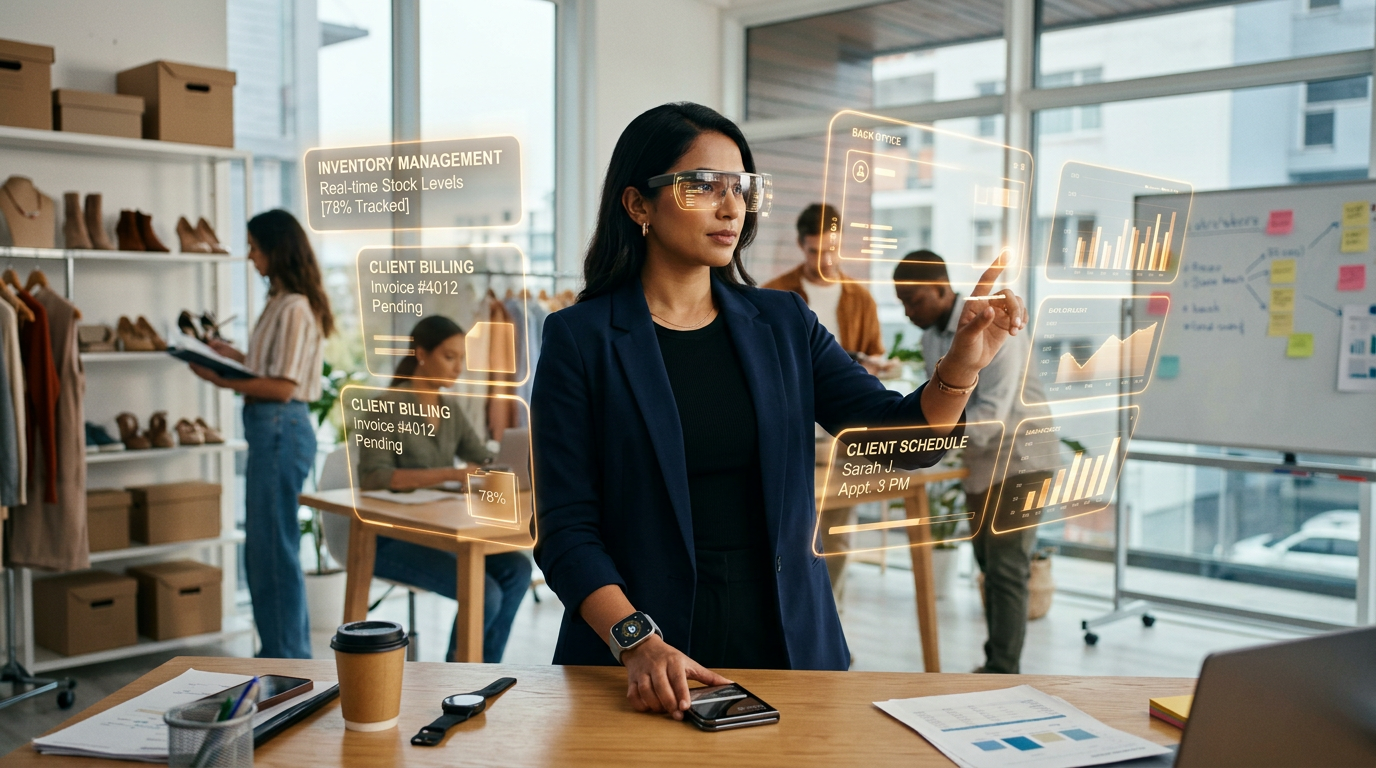
The real winner for productivity is the move toward XR, or Extended Reality. This refers to glasses that overlay digital information on top of the real world. Google confirmed they are working on a new XR platform with Samsung and Qualcomm to bring these features to wearable frames. For a business owner, this means you can bolt on a virtual dashboard to your workspace. You could walk through your warehouse and see inventory levels hovering over the shelves, or see a customer's purchase history pop up as they walk through your front door.
This is likely where we see the biggest gain in recovered time. Most owners lose 2 to 3 hours a day just switching between tasks. You stop what you're doing to check an email, then you forget where you were. With these wearables, the information stays in your line of sight without requiring you to pull out a phone or sit down at a desk. It keeps you in the flow of your actual business operations.
When you wire up your business to an AI assistant that lives on your person, you stop being a data entry clerk and start being a director. You are essentially stacking a digital layer over your physical business that handles the rote memorization for you. It saves mental energy by keeping data where you can see it.
3 Ways to Prep Your Business This Week
You don't need to buy a $2,000 foldable phone today. You need to organize your data so the AI can find it when you eventually strap on those glasses. Here is exactly what to do right now.
First, move your notes into a searchable digital format. If you have a notebook full of client details or a stack of paper receipts, the AI is useless to you. Use a simple scanning app to digitize every physical document. When these AI wearables hit your desk, they will need a cloud based library to pull from.
Second, start using voice to text for everything. Most people are shy about talking to their devices, but that is the primary way you will control these new tools. Practice dictating your emails and project notes while you drive or walk. It trains you to be concise and clear, which makes the AI much more effective at following your instructions later.
Third, audit your most common desk tasks. List the top 5 things you have to sit down at a computer to do. Is it checking prices? Sending invoices? Scheduling appointments? Once you have that list, look for the mobile versions of those apps. Google is making sure their Workspace apps, like Docs and Sheets, are optimized for these new screens and glasses. If you can do it on your phone now, you'll be able to do it hands free very soon.
What to Watch Next
Keep a close eye on the release dates for the Google and Samsung XR glasses. While the phones are available now, the glasses are where the true hands free back office happens. We are moving toward a world where the office is just a place you go to sit in a comfortable chair, not the only place where you can get work done. The first movers who learn to operate their business through these devices will have a speed advantage over competitors who are still stuck behind a monitor.
If you want to see how to set up these AI systems so they work for you, join my upcoming training. We will walk through the exact steps to digitize your operations so you're ready for the wearable shift.
FAQ
What is XR and why does it matter for my business?
XR stands for Extended Reality. It refers to glasses or headsets that show digital information, like your calendar or inventory levels, on top of the real world. For a business owner, it means you can see your data without looking down at a phone or sitting at a computer.
Do I need to be a tech expert to use these new Google AI features?
No. Google is designing these tools to be controlled by natural language. If you can ask a person a question, you can use these AI tools. The goal is to make the technology disappear into your daily routine.
How does a foldable phone help with productivity more than a regular phone?
A foldable phone like the Galaxy Z Fold7 opens up into a small tablet. This gives you enough screen space to run 2 apps at once, like your email and a spreadsheet, which makes it a viable replacement for a laptop when you are away from the office.