Why Your New AI Pin or Glasses Might Be Leaking Your Business Strategy
New AI wearables record and transcribe conversations by default, sending business data to cloud servers. Protect your trade secrets by auditing office hardware and enforcing device-free zones during strategy sessions.
Key Takeaways
- Most AI wearables are always-on and record audio by default.
- Proprietary business strategies are at risk when stored on third-party servers.
- Privacy-first hardware using local processing is safer than cloud-based tools.
- Physical device-free zones prevent data leaks during sensitive meetings.
- Employee handbooks must address the security risks of AI recording devices.
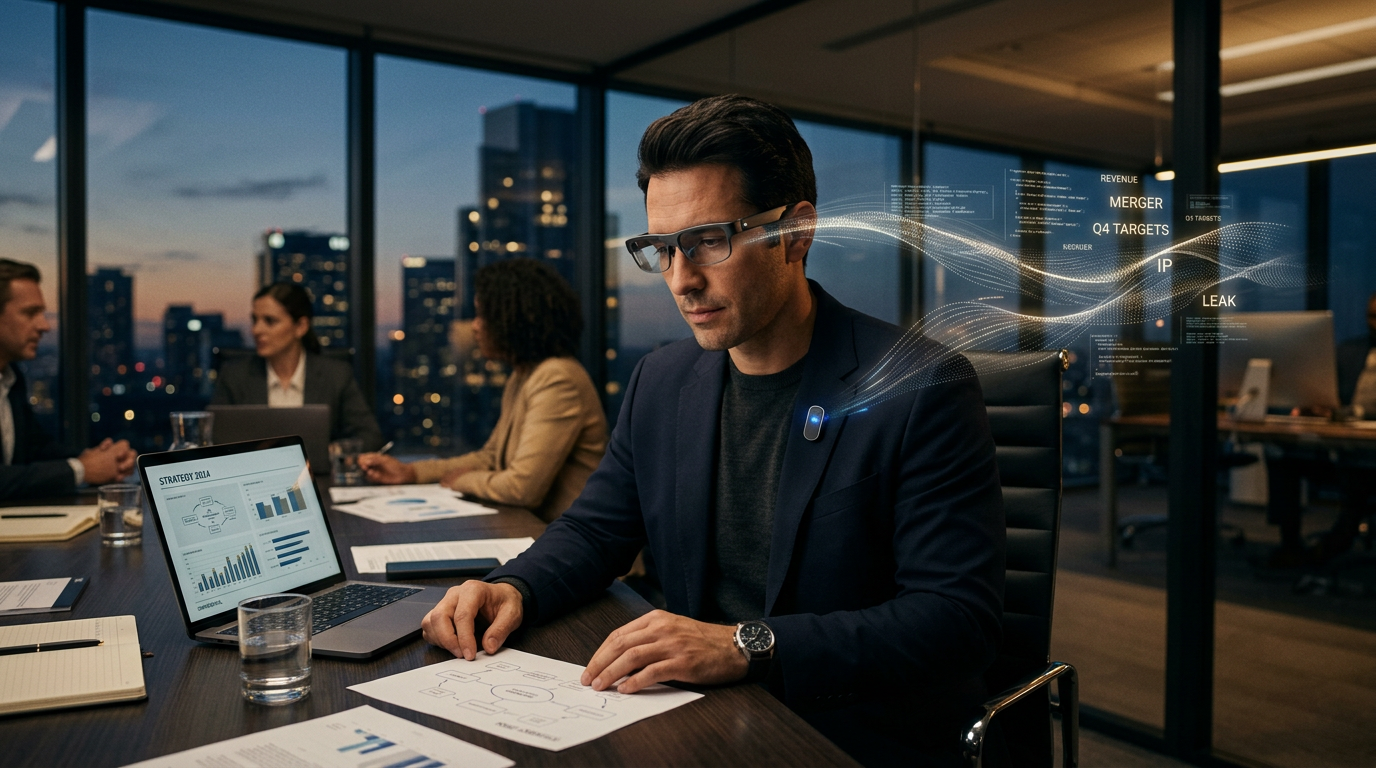
The Quiet Threat in Your Pocket
You probably think your private strategy sessions are safe because you closed the door. If you or your partner wear smart glasses or an AI pin, that door is wide open. Most of these devices record and transcribe everything by default. While tech blogs celebrate the convenience of never forgetting a conversation, you need to look at the other side. You're carrying a live microphone that feeds proprietary ideas into a cloud server you don't control.
A recent report from The Atlantic shows everything you do is being recorded by these always-on devices. When you discuss your 2025 pricing model or a new product prototype, that audio hits an AI model. This situation directly threatens the physical security of your trade secrets. If that data sits on a third-party server, it's a target for hackers or a data point for the hardware manufacturer.
The Myth of Off Switches
Many business owners assume the device isn't listening if they aren't talking to it. That's rarely how these tools work. To be helpful, they have to be ready. They constantly buffer audio (temporarily storing sound) to catch your next command. This creates a digital trail of your entire workday. I see this as a massive liability for anyone running a business where intellectual property is the primary asset. You wouldn't invite a stranger to sit in your board room and take notes, but that's what happens when these wearables enter the office.
I suggest you treat AI wearable privacy for business as a hardware problem, not a software setting. You can't just trust a toggle switch in an app. You need to verify where the data goes and who owns the encryption keys (the digital codes that lock your data). If the company selling the device can see your transcripts, you've lost control. It's time to strip back the hype and look at the raw risk.
The Reality of Data Leakage
In a professional setting, the risk is the legal discovery process or a data breach exposing your sensitive client lists. When you use tools that record by default, you're creating a searchable database of every mistake and every confidential employee discussion. Most business owners aren't prepared for that data becoming public. You need to stack your defenses now before these devices become standard equipment for every employee.
How to Protect Your Trade Secrets This Week
You don't have to ban technology, but you do need to be intentional. Here's how I'd handle it.
- Audit your hardware: Check every device in your office with a microphone. If it requires a constant internet connection, assume it's uploading your audio.
- Set a Device Free zone: Designate meeting rooms as areas where wearables stay at the door. It's the only way to ensure 100% privacy during sensitive talks.
- Prioritize local processing: Choose tools that process data on your own computer rather than sending it to the cloud. This keeps the data under your roof.
- Update your employee handbook: Clearly state your policy. Your team needs to know that recording a client meeting without permission is a security violation.
- Use physical blockers: For devices you must have, use physical covers for cameras and microphones when they aren't in use.
What to Watch Next
Watch for privacy-first hardware that offers local-only modes. These devices perform AI tasks on the chip inside the device itself, without connecting to the web. Until those become the standard, treat every wearable like a live broadcast. The convenience of a quick transcript isn't worth the risk of your best ideas ending up in a competitor's data set. If you want to wire up your business with AI the right way, join my next training session.
FAQ
What is local processing in AI?
Local processing means the AI work happens directly on your device's hardware, like your phone or laptop, instead of sending your data to a company's remote computer over the internet.
Are smart glasses a security risk for business?
Yes. They can record video and audio of sensitive documents or conversations without anyone noticing, creating a digital trail of proprietary information.
Can I just turn off the microphone on my AI pin?
Software switches can be unreliable. For true privacy during sensitive meetings, it's better to remove the device entirely.